
Enhance-d

GlucoseMap™ and GlucoseFlight™

See where your glucose changed on the route

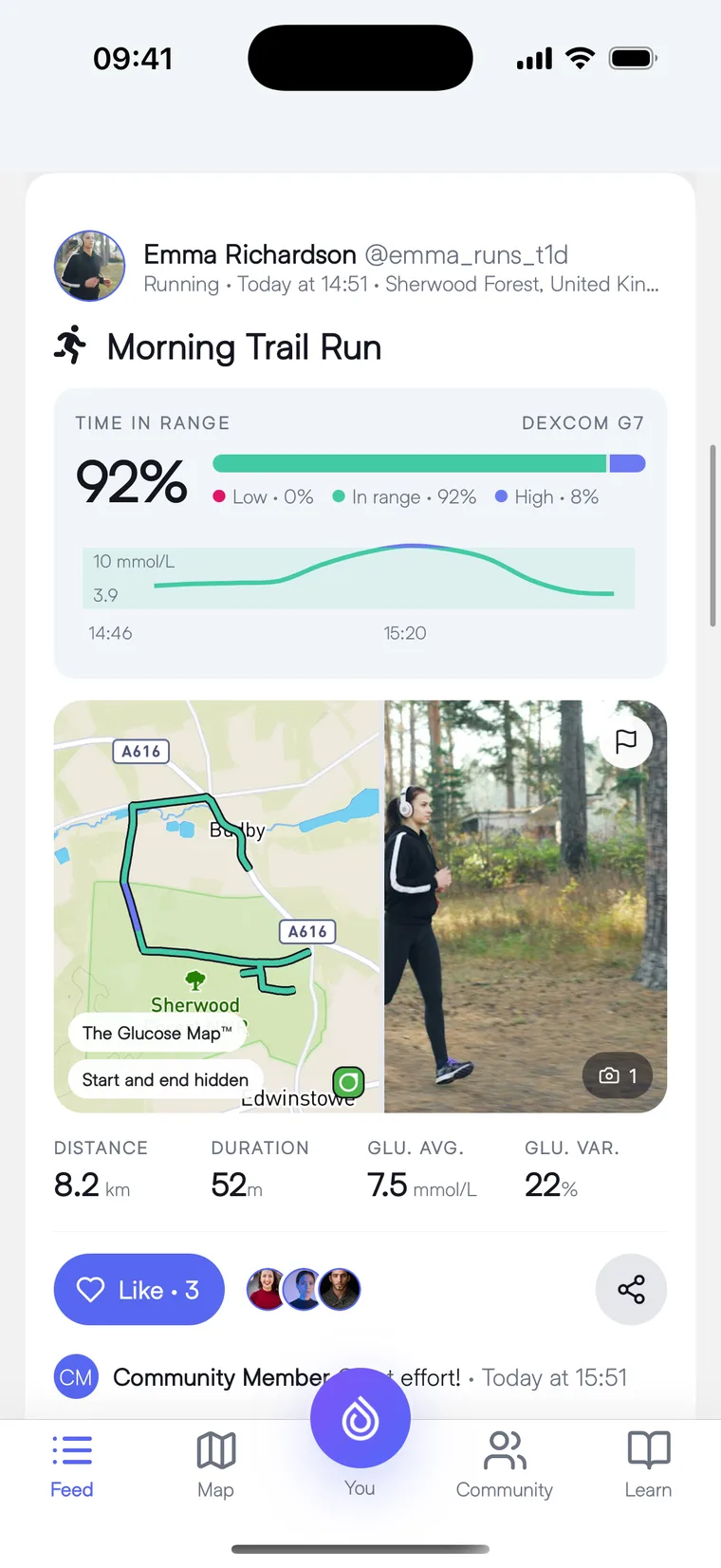
The GlucoseMap™ colours every metre of your run or ride by your CGM reading. Then GlucoseFlight™ flies you along it in 3D over satellite imagery and saves it as a video you can post.

Free on iPhone and Android. Pro comes with 2 weeks free.

A cycling route on a map coloured pink where glucose was low, green in range and blue where it was high

Read the colours

Under 3.0Under 3.9In rangeOver 10.0Over 13.9mmol/L

GlucoseFlight™

Your route, as a video

Tap Watch GlucoseFlight™ on any activity, then Make video. The app flies your route over satellite imagery, frame by frame, with your glucose trace drawing in step.

  • 9:16 and ready for Reels and Stories
  • Share it, or save it to your camera roll
  • Your stats and glucose trace on a clean card

Or share a still. Story, post or square. Map, photo, glucose or stats layouts, in dark, light or Iris.

Questions

Which activities get a GlucoseMap™?

Any activity with GPS and CGM data, whether you recorded it in Enhance-d or it came in from Strava, Garmin, WHOOP, Polar, Suunto, COROS, Wahoo and others.

Can I leave my glucose off when I share?

Partly. Turn off the glucose trace or your @username, or pick the Map, Photo or Stats layout. The Enhance-d logo always shows, and the CGM source label shows whenever a card includes glucose.

More from the app

All features
The Session Energy BreakdownCarbs and fat burned in each sessionGlucose on your GarminYour CGM on your watch, bike computer or widgetSpoken glucoseYour glucose read aloud in your headphones

Try it on your next workout

Download Enhance-d, connect your CGM and watch, and see it on your own data. No card needed to start.


Download on the App StoreGet it on Google Play